
Posts tagged Laptops
What a Wonderful Time to Need a MacBook

The new MacBook Neo. Image from Apple.

I was not optimistic about this year in technology. For good reasons. Companies like OpenAI and Anthropic are buying up every sing RAM chip they can to face their ever-growing processing demands for an industry that is growing like a hockey stick on the chart. Cloud processing demands because of how much we've become dependent on AI have increased 1 million fold in the last decade. NVidia expects to sell over $1 trillion in GPUs by 2030.

All of this means and could mean that your personal computer could double in cost by the end of 2026. A couple of sticks of RAM to upgrade your gaming PC that cost $140 in August 2025 now cost around $400. If you were looking to get a computer in 2026, my advice to everyone was to do it sooner rather than later.

Then Apple announced the Macbook Neo last week. And because I had a few old Mac laptops to trade in, I'm now a proud owner of an Indigo Neo (sounds like a 90's cover band).

If you rewind just to 2018, the Macbook line didn't look that great. That's actually being generous - it was kind of a disaster. The touchbar Mac was the one everyone hated, Intel CPUs were lucky to be updated every 2-3 years and weren't really holding their own against PCs, and the keyboards on Macs were failing right and left, costing customers lots of time and Apple millions of dollars. I had to send my 2016 Macbook in for repair just for the keyboard and it ended up being a 22-day debacle that nearly pushed me to Windows. Nearly.

But as I sit here today typing on my iPhone-chip powered blue Macbook that cost me less than $600 (technically $0 with trade-ins), I can't help but laugh. Seven years after the uncertainty of the late-2010's for the Mac, it has never been a better time to need a Macbook.

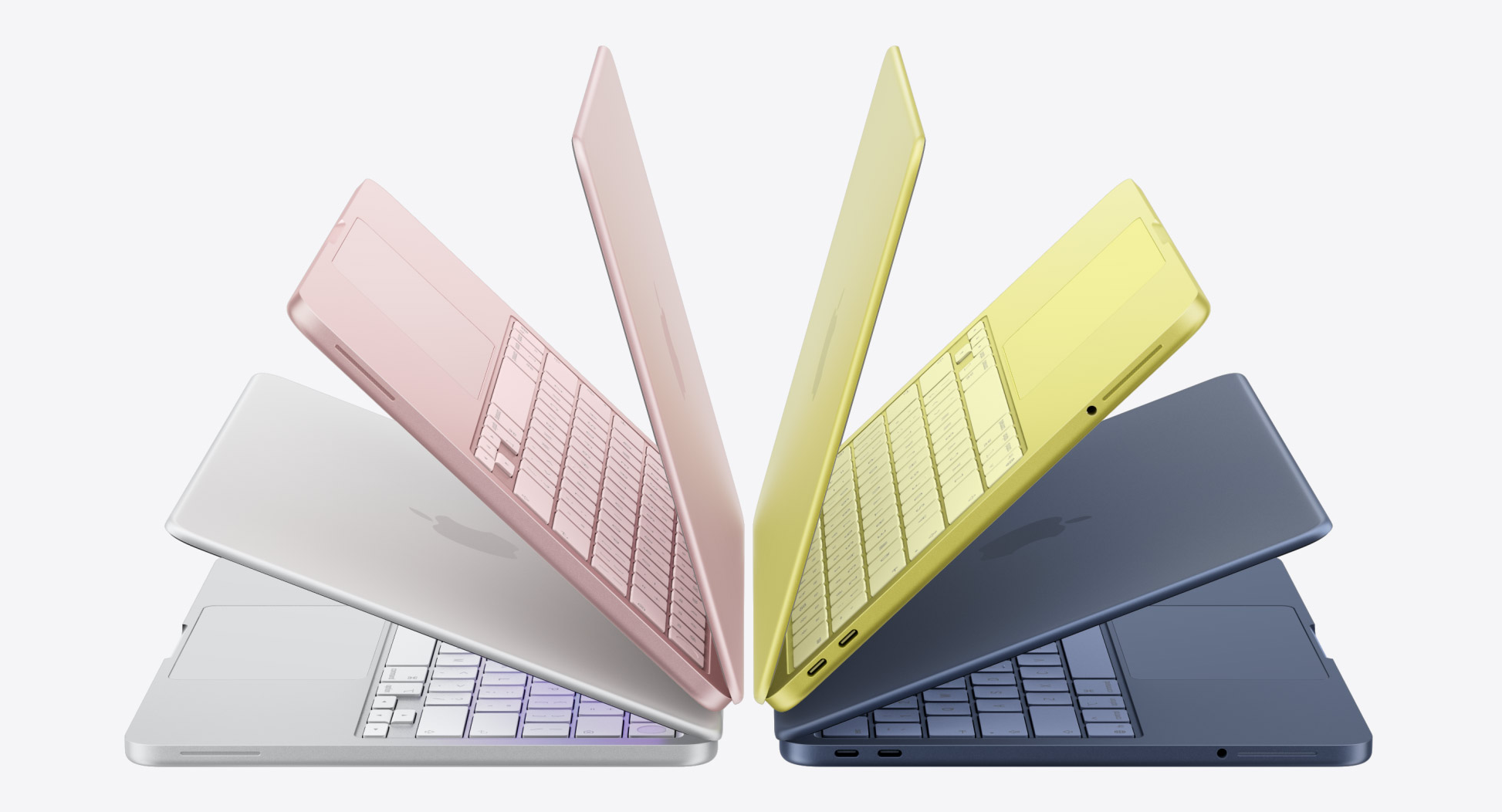
I've only had the Macbook Neo for a few days, but it's such a joy. The screen and trackpad alone are better than you would find in $1,000+ PC laptops. The keyboard is bouncy and has the perfect amount of travel. The blue Indigo colorway is bold without being silly. And the performance from the iPhone A18 Pro chip inside this thing is amazing.

It has yet to stutter with one app so far. Now, I haven't edited video or audio on this, I haven't tried Photoshop - but this laptop isn't built for that. This laptop is for moms, college students, and senior citizens. This laptop is the perfect gateway for someone who's been on PC their whole life. Or it could be the perfect gateway to creativity for someone to buy a more powerful laptop down the line.

Speaking of more powerful laptops, Apple isn't resting on its laurels. They also introduced the Macbook Air M5, which could be absolutely perfect for creators on the go. The M5 chip can handle almost every sort of media and graphics editing you could throw at it and would only slow down on the heaviest of workloads. The Macbook Pro with the M5 Pro and M5 Max chips? Forget it. I daily use an M3 Pro that's over two years old now and it hardly has any slowdown issues - you won't have any issues with the M5 Pro and Max chips.

Back to the Macbook Neo - if you've seen it advertised and seen the price tag and been intrigued, and you have a need to update your computer or tablet, just get this. Fun colors, amazing form factor, and solid performance make this the best Mac you can buy. And if you need more power, you know who you are, and you know what you need to go get.

This is the Apple product I wish I'd had in college. It's hopefully one that will be a nice workhorse for me for years to come. It doesn't matter how "disruptive" this laptop is, it matters how many customers buy it, and in turn use it with satisfaction. And I believe that Apple will sell these for a long while.

Mac Buyer's Guide [Late 2013]
Screen Shot 2013-10-23 at 11.44.50 AM.png

As a guy who is in the market for a new Mac myself, I figured I would do a no-nonsense, easy to understand buyers guide for all those who may be contemplating getting a Mac. And also, since Apple came out with a slew of new stuff including new Mac and software, there's never been a better time to buy a Mac. 

If you've never used a Mac as your personal computer, you're in for a treat. You get a clean desktop experience with a great Mac App Store ecosystem to play with. Best of all, Apple said yesterday that all their apps (for both Mac and iOS, excluding the pro apps like Final Cut and Logic) are going to be free with the purchase of any new Mac or iOS device. 

That being said, if you go to an Apple Store, the clerk is going to be honest with you. They're not going to sell you a pro machine just because they want to make money. One big difference about Apple is not just their products, but the way they sell them. Sure, you could get a maxed out MacBook Pro with all the bells and whistles, but do you really need that, and do you want to spend that much money. Apple customer care is all about getting you, the customer, the right product, not the product that will help inflate profits. 

So if you've never bought or used a Mac before, you'll need to know that as of yesterday, the entire iWork suite (Apple's much better version of Office, which includes Pages for word processing, Keynote for presentations, and Numbers for spreadsheets) is now included for free. You can download them for free using your new Mac. No more buying $200 worth of software, keeping up with product keys and all that junk. You just need an Apple account - the same one you use to download apps on your iPhone or iPad - and you're good to go. 


Give Up Microsoft Office

These Office-like apps are a huge deal - the main complaint I get from users who want to switch to a Mac tell me, "Well, I just can't give up Office." Yes, you can. Apples iWork apps export to all Word, Powerpoint, and Excel formats. I use Pages every single day and everyone else in my office uses PCs with MS Word. I've had no problems in 4 years using nothing but Pages. People also tell me, "Well I have to use MS Word for work." Again, you can export any Pages document into MS Word format, to PDF, or into plain text, or even ePub. It's simple. 

While there is a learning curve with these apps, as there is with anything new and unfamiliar, I would venture to say that you'll have iWork apps figured out inside of 3 days. You'll wonder why you wasted so much time with Word and Powerpoint when you can use the elegant and simple Pages and Keynote. 

Below is a chart explaining some things about what machine you might get if you were buying a Mac today. 

Click for larger

1. The only machines on this chart that are desktops are the Mac Mini, iMac, and Mac Pro. I put a 'maybe' here for the Mac Mini and Mac Pro because they are such small devices, especially the Mac Mini. You could fit a Mini in a small backpack and carry it around and hook it up to your different monitors if you so choose. The new Mac Pro is a great deal smaller than the aluminum monstrosities Apple has been selling for the past several years. 

2. The speed of your processor seems to matter less and less these days with dual- and quad- cores (literally extra processors to crunch your data) and RAM, SSDs and OS management have made processor speeds not so important. So don't harp on this number too much, especially with the MacBook Air. The Air was the first Apple laptop to incorporate Solid State Drives (SSDs), i.e. drives with no moving parts. This greatly speeds up your computer. All Macs now have the option for SSDs now. 

I'm going to be spending a lot of time over the next month giving you snippets of my new eBook, A Minister's Guide to the Mac, due out on November 26. The first half of the book will help any minister or professional transition to a Mac for the first time, while the second half with give you helpful apps, tips and tricks to help you make the most out of your Mac and can help even the most advanced Mac user.